
Not everyone is tech saavy. If you’re needing a little help signing up for The Nurse Gwenny Library, check out the images below and follow along with these steps.
Step 1:
From NurseGwenny.com, you can access The Nurse Gwenny Library, by clicking “The Nurse Gwenny Library” from the site menu or by clicking three lines in the top right from your mobile device.
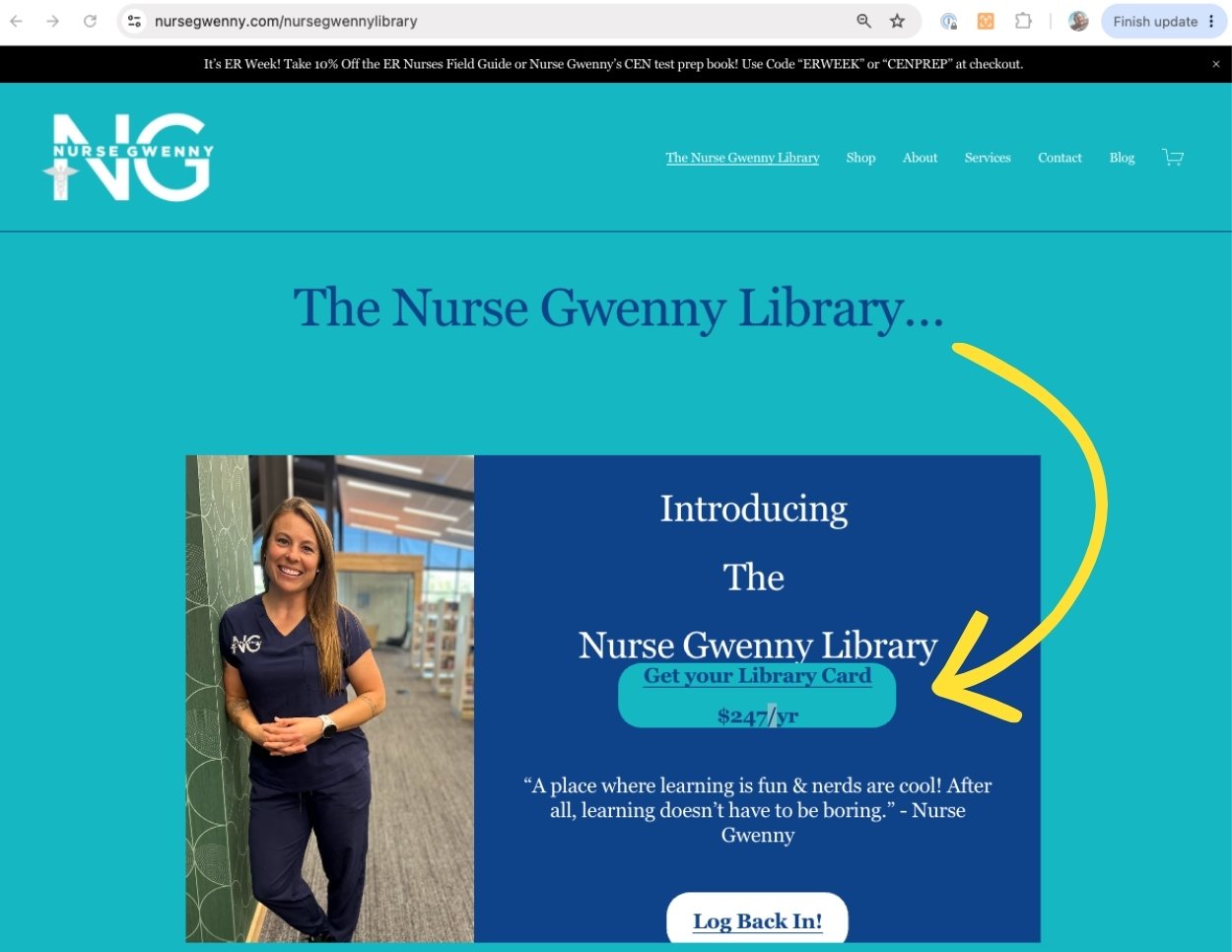
In just a few clicks, you can have access to The Nurse Gwenny Library.
Step 2:
Click on the “library card” to advance to the purchase screen for a one year subscription to “The Nurse Gwenny Library.”
We have some other products that you can explore and/or purchase found here.
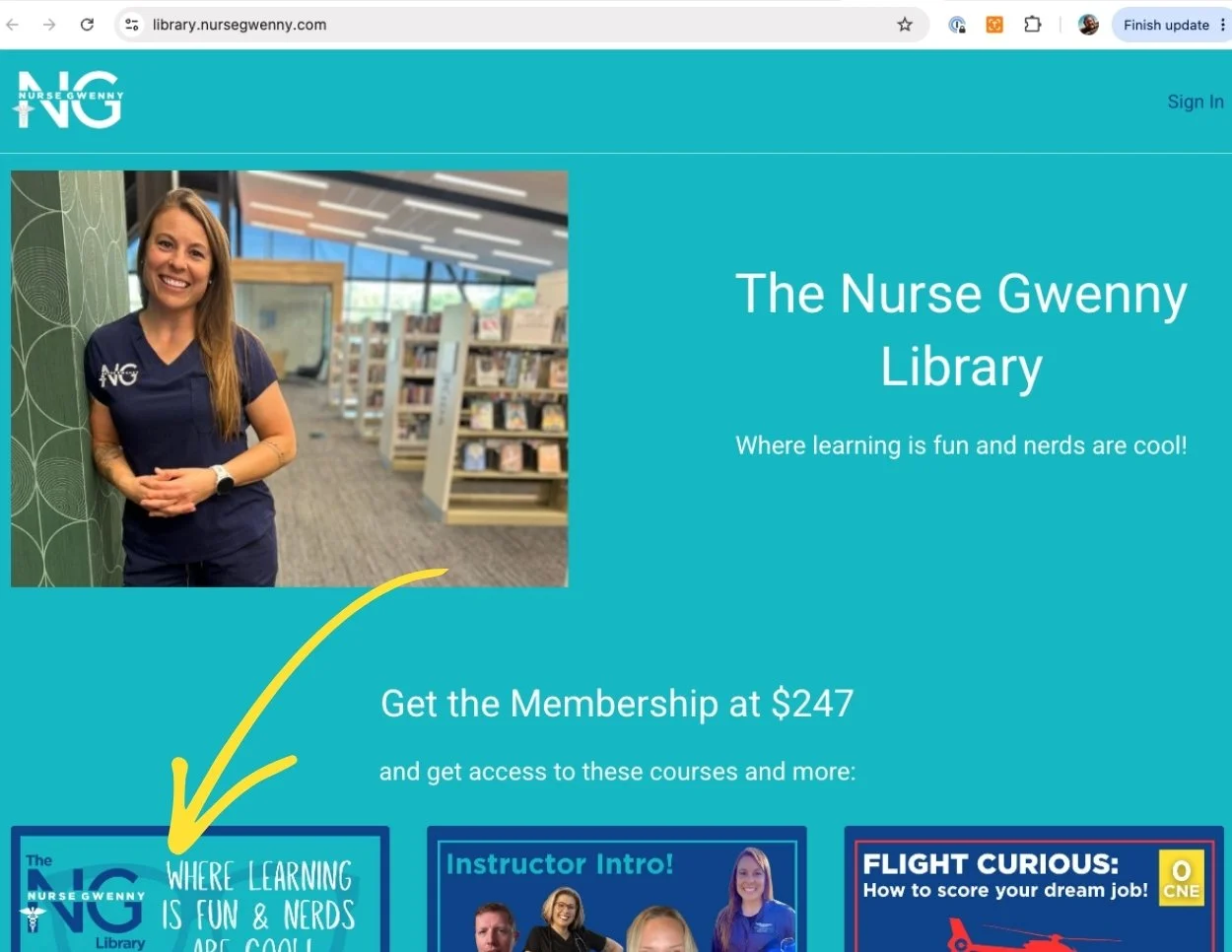
Depending on how you found The Nurse Gwenny Library, you’re steps will vary.
Step 3:
If you’re ready to subcribe and want to lock in a full year subscription, click the button next to a very excited Nurse Gwenny!

Step 4:
The Nurse Gwenny Library checkout page needs your payment details. Enter those in, BUT BE SURE to add in any coupon info you may have.
Note - your login will be based on whatever email you used to make your purchase. This can be changed later on, but make sure you know what email you used!!!

Nurse Gwenny Coupons are all over the place… Find a coupon on The Nurse Gwenny Social Media accounts, blogs on the website, or show notes on youtube. If you’ve got a Nurse Gwenny coupon, be sure to put it in a checkout.
